


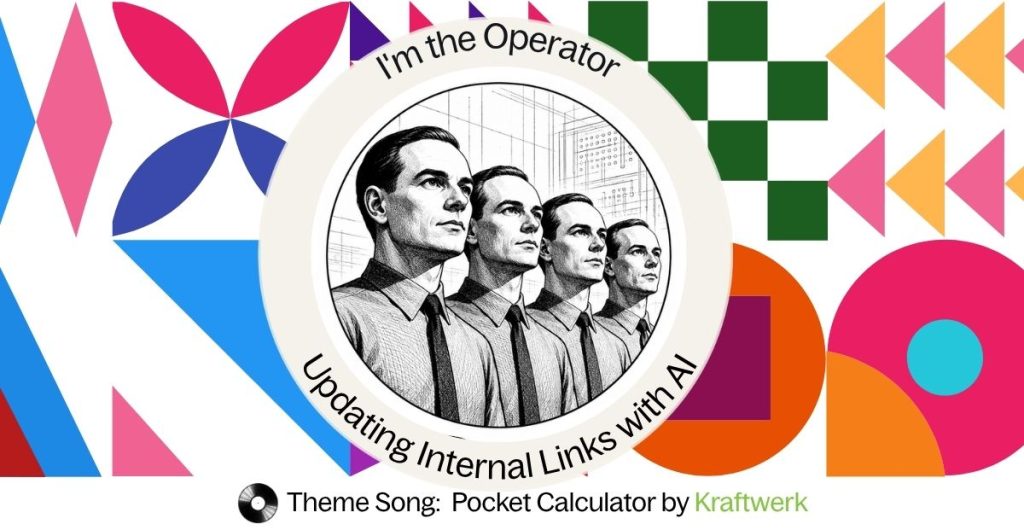
Theme Song: Pocket Calculator by Kraftwerk
Kraftwerk released Pocket Calculator in 1981. The song is built around a simple idea: the machine performs the calculation, while the operator decides what to do with it.
“I’m the operator with my pocket calculator.”
That idea feels made for the AI era.
AI can crawl thousands of pages, trace redirect chains and prepare hundreds of internal-link updates in minutes.
That is the calculator side of AI. It checks everything you ask it to check and finds what was left behind.
Take a site migration.
We all know the old internal links need attention. Most teams still stop once the redirects work and the 404s disappear.
The operator sees what comes next.
A human still needs to decide which pages matter, which topics belong together and where every link should lead. The calculator can help with that too, by finding the patterns, suggesting the changes and doing the repetitive work at scale.
That is why Pocket Calculator made the RockingGEO playlist.
The calculator needs an operator. The operator should know how to use the calculator.
Read on to see how both sides can finish the migration properly.
- 301 redirects protect users, not your internal linking structure. Your own links should point directly to the final destination whenever possible.
- In the AI era, semantics matter as much as navigation. A homepage or category page isn’t always a meaningful replacement for the page that was removed.
- Use AI to automate the repetitive work. Claude Code can generate a custom plugin that finds, reviews, and fixes outdated internal links at scale.
- Keep a human in the loop. Review every proposed change before updating links to ensure the new destination matches the original context.
- Always validate the results. Run a follow-up crawl with Screaming Frog, Semrush, or another crawler to confirm no outdated internal links remain.
- At RockingGEO we let AI handle the mechanics so we can focus on strategy. The real value lies in building a consistent brand language and story across your website and the wider web – not replacing URLs manually.
Why updating internal links after 301 redirects matters
Most migrations stop after adding 301 redirects.
That’s enough to prevent users from landing on a 404.
It isn’t enough to maintain a clean website.
Every internal link that still points to an old URL forces crawlers, search engines, and AI systems to take an unnecessary detour before reaching the real destination.
For a handful of pages that hardly matters.
Across thousands of pages, those redirect hops create extra crawl work, dilute the site’s internal linking graph, and leave AI systems repeatedly discovering URLs that no longer represent the site’s actual structure.
The best redirect is still a direct link.
301s should protect external links.
Internal links should point to the final destination.
The old workflow
Traditionally the process looks like this:
- Crawl the website.
- Export every redirected URL.
- Find every internal link pointing to it.
- Open each page.
- Replace the link manually.
- Publish.
- Crawl again.
On a large website that can easily consume an entire day after every migration.
The AI workflow
The AI workflow begins by using Claude Code to create a purpose-built WordPress plugin based on a few clear rules.
For example:
For every internal link pointing to a redirected URL, replace it with the final destination URL.
When the redirect leads to the homepage or a broad category or lobby page, remove the link instead of replacing it.
Never apply changes automatically. First return the proposed updates for review.
The second rule is especially important.
A redirect to a homepage or main category page may prevent a 404, but it does not necessarily provide a meaningful replacement for the removed page. The destination may cover a much broader subject, use different language, or fail to satisfy the original context of the link.
In that situation, automatically linking to the redirect destination could create a weak or misleading internal link. Removing the link is often the cleaner option.
Step 1: Ask Claude Code to create the plugin
Provide Claude Code with the plugin requirements, including:
- how redirected URLs should be identified
- how final destinations should be resolved
- which redirects should result in link replacement
- which redirects should result in link removal
- how suggested changes should be displayed
- the requirement for manual approval before updates are applied
Claude Code can then build the plugin, package it as a ZIP file, and prepare it for installation.
You download the plugin and upload it to the WordPress site through:
Plugins → Add New Plugin → Upload Plugin
Once installed and activated, the workflow happens inside WordPress.
There are already WordPress plugins that can find broken links, manage redirects, or perform search-and-replace operations. Tools such as Better Search Replace, Broken Link Checker, Link Whisper, and Redirection all solve parts of the problem.
The challenge is that your workflow is rarely identical to everyone else’s.
When you build your own plugin with Claude Code, you define the exact rules that matter to your website. Just as importantly, you own the code.
That means you’re not dependent on a third-party developer’s roadmap or waiting for a plugin update to support a new requirement. You can inspect every line of code, version it in Git, review every change Claude Code makes, and continuously improve it as your SEO workflow evolves.
Owning the plugin also gives you greater confidence in its security and stability. Instead of installing a general-purpose plugin with features you’ll never use, you maintain a focused tool whose behavior you understand, whose changes you can audit, and whose security you can review before every deployment.
In other words, you’re not just automating a task—you are building an internal SEO tool that becomes part of your team’s workflow, improving a little every time you use it.
Step 2: Choose what the plugin should scan
The plugin can be designed to accept:
- one specific URL
- a list of URLs
- or an instruction to crawl all published pages
It then searches the site for internal links that still point to redirected URLs.
Step 3: Review the suggested changes
The plugin should not change anything during the initial crawl.
It should first present a review screen showing every proposed update.
For example:
| Page | Existing link | Final destination | Suggested action |
|---|---|---|---|
/seo-guide/ | /old-keyword-page/ | /keyword-research/ | Replace link |
/ai-search-guide/ | /removed-geo-page/ | /blog/ | Remove link |
This allows the operator to check whether the final destination genuinely matches the original link’s meaning.
Some redirects may technically work while being contextually wrong. That is why the review stage still requires SEO judgment.
Step 4: Run the fix
Once the proposed changes have been reviewed and approved, run the plugin’s fix process.
The plugin then:
- updates links that have a relevant final destination
- removes links that redirect to unsuitable lobby pages
- leaves excluded or rejected changes untouched
- records what was changed
- ideally creates a backup or change log before editing content
This turns what might have required manually opening dozens or hundreds of pages into a controlled batch operation.
Step 5: Validate the result
After the changes are complete, run another crawl using Screaming Frog, Semrush, or any other crawling tool you prefer.
Upload or crawl the list of 301 redirects again and check whether any internal pages still link to the old URLs.
The final result should be:
- no internal links pointing through unnecessary redirects
- no links replaced with irrelevant homepage or category destinations
- no accidental changes to external links
- no new broken links
- a cleaner internal linking structure
And that is it.
The 301 redirects can remain in place to handle external links, bookmarks, and older indexed URLs. But the website’s own internal links should point directly to meaningful final pages – or be removed when no meaningful replacement exists.
Why this matters in the AI era
A 301 redirect solves a technical navigation problem.
It does not always solve a meaning problem.
Search engines and AI systems use internal links to understand relationships between pages, topics, and entities. When a page about a specific subject links to a broad homepage or lobby page, the technical path may work, but the semantic relationship becomes weaker.
Updating internal links therefore is not simply redirect maintenance.
It is a way to keep the site’s internal language accurate.
Claude Code handles the repetitive implementation. The plugin finds the links, resolves the redirects, and applies approved changes at scale.
The operator still decides whether the destination makes sense.
The calculator performs the operation.
The expert decides what the answer should mean.
How RockingGEO fits in
At RockingGEO, we are very happy to let AI do the boring work.
Crawling thousands of pages. Following redirect chains. Finding old links. Preparing hundreds of updates.
Please, take it.
That is exactly what the calculator is good at.
Our job is to be the operator.
We decide which pages still matter, which ideas should stay connected and whether the suggested destination actually makes sense. Because a technically correct link can still tell the wrong story.
And we have better things to do than spend a full day replacing URLs manually.
We would rather use that time to make sure your website, content, LinkedIn, images, videos and wider digital presence all speak the same language.
The language your audience understands.
The language AI can connect.
The language that makes your brand recognizable across every conversation.
AI handles the mechanics.
We decide what the machine should build.
about the author

I’m Roni Calvo Bar Oz – founder of RockingGEO and an SEO/GEO consultant.
For more than 20 years , I’ve helped B2B companies find their audience in competitive global markets. Today, I’m helping brands learn a new rhythm: the language AI, search engines, and people all understand.
Every great band has its own sound. Every great brand should too.
My job is to help brands find that sound.
I’m endlessly curious about how people ask questions, how AI connects meaning, and how brands can become the soundtrack to the conversations that matter.
When I’m not working, you’ll probably find me listening to music, spending time with my family, asking one question too many, or chasing the next great idea. Because the best strategies, just like the best songs, stay with you long after they’re over.