


Want to know what ChatGPT actually thinks about you or your product?
Here’s the crucial mistake to avoid: Don’t ask the same question multiple times in a standard chat session.
Why? Because ChatGPT remembers your previous interactions and adapts its responses accordingly – unless you’re using a special feature most users overlook.
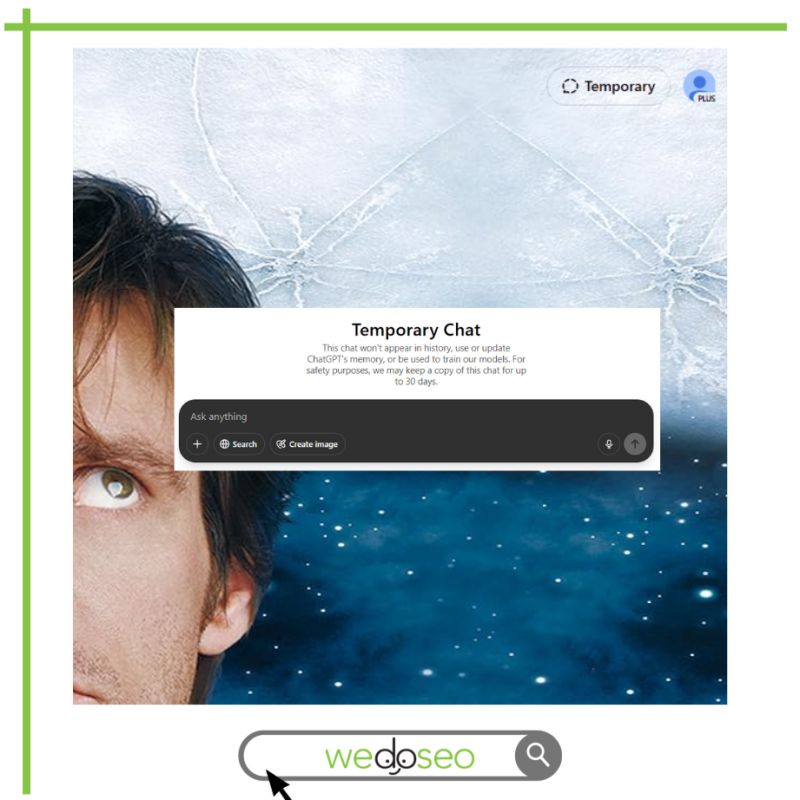
Introducing Temporary Chat Mode: Your Secret Weapon for Unbiased AI Insights
Temporary Chat mode is essentially ChatGPT’s version of incognito browsing. Each conversation starts fresh with:
- No memory of your previous interactions
- No conversation history saved
- No accumulated biases affecting responses
How to Activate Temporary Chat Mode in 3 Simple Steps:
- Open ChatGPT
- Click “Temporary” in the upper corner
- Start your conversation
That’s it! While using this mode, ChatGPT treats each session as completely new – providing you with clean, unbiased responses every time.
Why This Matters for Your Business Growth
For entrepreneurs and marketers tracking business improvements over time, consistent and reliable feedback is essential.
Temporary Chat mode ensures:
- Each evaluation is independent
- Responses aren’t colored by previous interactions
- You receive genuinely fresh perspectives on your progress
The Bottom Line for Serious Business Owners
If you need authentic, unfiltered insights about your business or products, temporary chat mode is your most valuable tool. It delivers truly reliable feedback without the cumulative bias that occurs in standard chat sessions.
Check this article if you have questions about AI visibility tracking for your business or contact us for any other question!